Here are some instructions for making the Hibernate Statistics JMX MBean available from JBoss.
The example below has been tested with JDK 1.6 and JBoss 4.x.
Then, if you are using Spring, add this to your applicationContext.xml file:
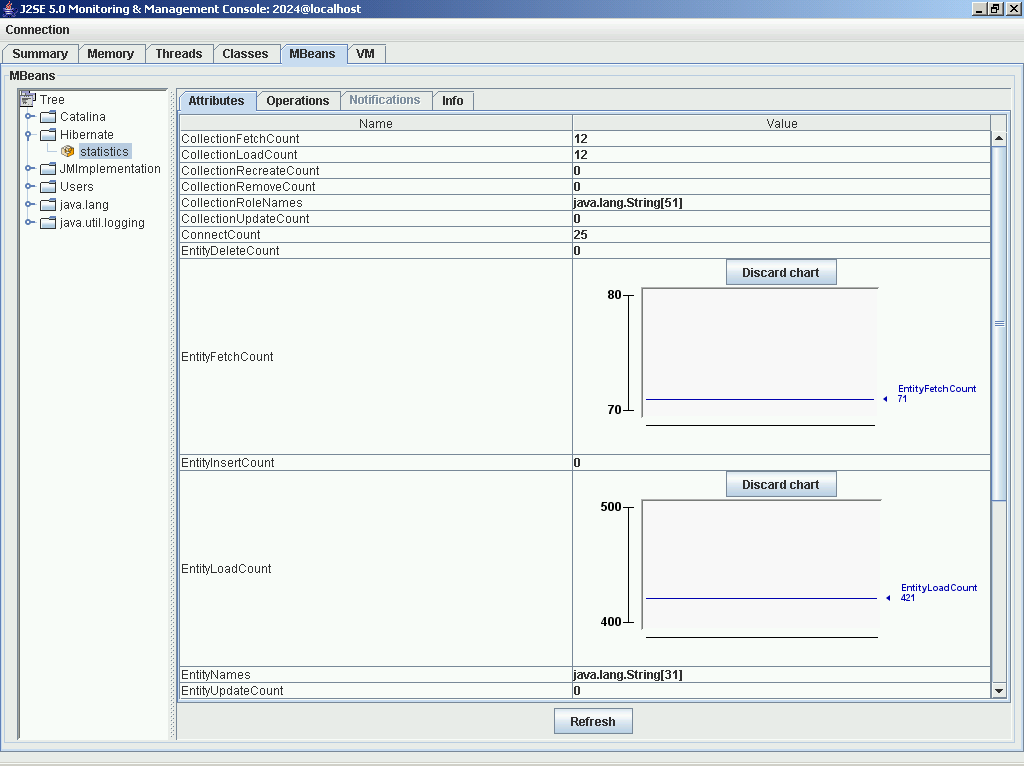
Below are a couple of screenshots.

If you are not using Spring, inside StartupListener.java (inside contextInitialized method) add:
After starting up JBoss, you should be able to attach to the server using JConsole (port 9002, as in the config above). From there, you should see the Hibernate MBean where you can view the statistics that have been collected.
The example below has been tested with JDK 1.6 and JBoss 4.x.
Then, if you are using Spring, add this to your applicationContext.xml file:
    <bean id="jmxExporter"
        class="org.springframework.jmx.export.MBeanExporter">
        <property name="beans">
            <map>
                <entry key="Hibernate:name=statistics">
                    <ref local="statisticsBean" />
                </entry>
            </map>
        </property>
    </bean>

    <bean id="statisticsBean" class="org.hibernate.jmx.StatisticsService">
        <property name="statisticsEnabled">
            <value>true</value>
        </property>
        <property name="sessionFactory"><ref local="sessionFactory"/></property>
    </bean>
and then set the hibernate.generate_statistics property in your
applicationContext-hibernate.xml file:
<prop key="hibernate.generate_statistics">true</prop>
When you browse the MBeans (using JConsole.exe - which lives in the bin dir of your JDK 1.5 distribution), you should see Hibernate, if you double click on that node, you should see the Statistics Bean.
Below are a couple of screenshots.
If you are not using Spring, inside StartupListener.java (inside contextInitialized method) add:
|
|
After starting up JBoss, you should be able to attach to the server using JConsole (port 9002, as in the config above). From there, you should see the Hibernate MBean where you can view the statistics that have been collected.

